Network Tools
NetVitals
Official mobile application
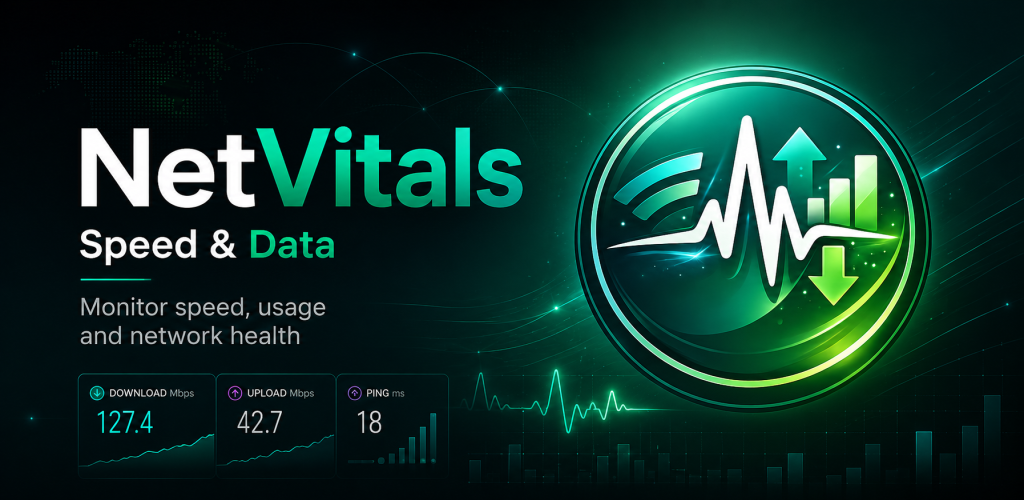
NetVitals is an Android internet speed meter, data usage monitor and connection outage tracker for WiFi and mobile networks. View live download and upload speed, track how much data you use, review connection interruptions, test internet performance and check latency, packet loss and DNS response from one simple network dashboard.
Google Play snapshot
Not available yet- Rating
- —
- Downloads
- —
- Updated
- —
Not available yet
Not available yet
Not available yet
What is NetVitals?
NetVitals is an Android network monitoring utility for understanding how your internet connection is performing throughout the day. It combines live speed monitoring, WiFi and mobile data tracking, internet outage history, network health checks and speed testing in one dashboard so you can review both current connection status and recent network activity.
Monitor Internet Speed and Data Usage
Keep an eye on current download and upload speed while using WiFi or mobile data. NetVitals can show live network speed in the app, status bar and notification, while separate usage tracking helps you understand how much mobile data and WiFi traffic you use each day. Billing-cycle limits and usage alerts can also help you follow your mobile data budget.
Track Outages and Understand Network Health
NetVitals records supported internet disconnect and reconnect events so you can see when a connection interruption occurred and how long it lasted. Network health tools add more context by checking latency, packet loss and DNS response time, while an easy-to-read health score can help you compare connection quality across WiFi and mobile networks.
Internet Speed & Network Health Tools
Live Internet Speed
View current download and upload speed while connected through WiFi or mobile data and quickly check how your connection is performing.
Status Bar Speed Meter
Keep live network speed visible from the Android status bar and notification without needing to keep the main app open.
Internet Speed Test
Measure download speed, upload speed and latency and save supported test results for later comparison.
Network Health Score
Review an easy-to-understand network health result based on supported connection-quality measurements.
Latency Check
Measure network response time to help identify connections that feel delayed or slow to respond.
Packet Loss Check
Check supported packet-loss measurements when investigating unstable or inconsistent network performance.
DNS Response Check
Review DNS response information as part of supported network health diagnostics.
WiFi & Mobile Comparison
Review supported network information separately for WiFi and mobile connections to better understand how each connection performs.
Data Usage & Connection Monitoring
Mobile Data Usage
Track mobile data usage and review how much cellular data your Android device has used during supported periods.
WiFi Data Usage
Monitor WiFi data usage separately from mobile data so each connection type is easier to understand.
Daily, Weekly & Monthly History
Review supported usage history across daily, weekly and monthly views to identify changes in your data consumption.
Data Limit Tracking
Set a billing cycle and data limit and see how much mobile data remains before the current cycle resets.
Data Usage Alerts
Receive supported alerts as usage reaches predefined portions of your configured data allowance.
Internet Outage Tracking
Record supported disconnect and reconnect events and review when an internet interruption started and ended.
Outage Timeline
Review recent connection interruptions in a timeline to better understand when connectivity problems occurred.
Home-Screen Widget
View supported current data usage and network status from a home-screen widget without opening the full app.
How to Monitor Your Internet with NetVitals
- 1
Open NetVitals
Launch NetVitals to review your current connection, live speed, recent data usage and available network health information.
- 2
Start Speed Monitoring
Enable supported monitoring to keep current download and upload activity visible while using your internet connection.
- 3
Review Data Usage
Check WiFi and mobile usage separately and review available daily, weekly or monthly usage information.
- 4
Check Network Health
Run supported health checks to review latency, packet loss, DNS response and overall connection-quality information.
- 5
Review Outages and History
Use the history view to examine recent data usage, internet interruption events and saved speed-test results.
Network Measurements May Vary
Internet speed, latency, packet loss, DNS response and outage information can vary depending on your Android device, network provider, WiFi conditions, signal quality and current network traffic. Monitoring results should be used as practical indicators of connection performance rather than as guaranteed measurements from your internet provider.
Frequently asked questions
What is NetVitals?
NetVitals is an Android internet speed meter, data usage monitor, outage tracker and network health utility for monitoring WiFi and mobile connections.
Can NetVitals show live internet speed?
Yes. NetVitals can display current download and upload speed and keep supported live speed information visible in the Android status bar and notification.
Can NetVitals track mobile data usage?
Yes. NetVitals can track supported mobile data usage and provide daily, weekly and monthly views along with billing-cycle and data-limit information.
Can NetVitals monitor WiFi data usage?
Yes. WiFi usage can be monitored separately from mobile data so you can review supported usage information for each connection type.
Can NetVitals detect internet outages?
Yes. NetVitals can record supported internet disconnect and reconnect events and show when an outage started, ended and how long it lasted.
Does NetVitals check packet loss and latency?
Yes. Network health tools can check supported latency, packet loss and DNS response measurements to provide more information about connection quality.
Does NetVitals include an internet speed test?
Yes. You can test supported download speed, upload speed and latency and review saved speed-test results for comparison.
Does NetVitals inspect my internet traffic?
NetVitals is designed to monitor network measurements and usage information without inspecting the content of your web traffic, messages or personal files. Most supported history, settings and monitoring records are stored locally on the device.
Ready to try NetVitals?
Use the official store link to view the latest release and install securely.
Open official store ↗