Network Tools
NetVitals Pro
Official mobile application
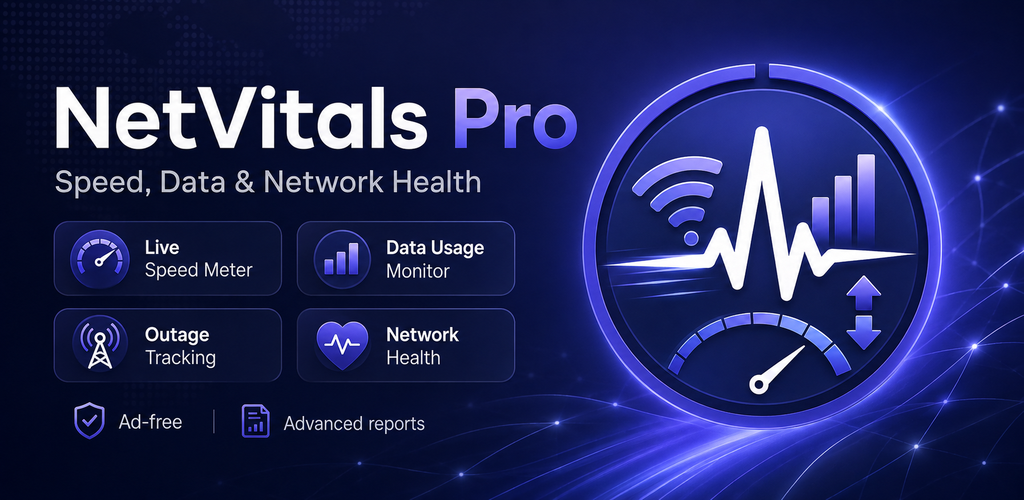
NetVitals Pro is the dedicated Pro edition of NetVitals for Android, built for deeper internet and data monitoring. Track live download and upload speed, monitor WiFi and mobile data usage, review connection outages, measure latency and packet loss, run speed tests and follow network health over time. Pro tools add extended history, advanced outage reports, custom usage alerts, scheduled health checks, multiple widgets, report exports and support for multiple saved networks.
USD 0.99
Google Play snapshot
Public store data- Rating
- —
- Downloads
- 0+
- Updated
- Aug 12, 2026
Not available yet
Public range
Store listing
Inside the app
App screenshots
Swipe or open a larger view
What is NetVitals Pro?
NetVitals Pro is an Android network monitoring utility for users who want more detailed insight into internet speed, data consumption, outages and connection quality. It combines live speed monitoring, WiFi and mobile usage tracking, outage history, network health measurements and internet speed testing with extended monitoring and reporting tools in one app.
Advanced Internet and Data Monitoring
Monitor current download and upload activity, track WiFi and mobile data separately and review usage across daily, weekly and monthly views. NetVitals Pro also supports custom data alert thresholds, multiple saved networks and extended network history, making it easier to follow usage patterns and compare different connections over time.
Track Outages and Network Health Over Time
NetVitals Pro records supported internet interruptions and provides advanced outage information for reviewing when connectivity problems occurred and how long they lasted. Scheduled network health checks can measure latency, packet loss and DNS response over time, while saved speed tests and report exports provide additional context when comparing network performance.
Network Monitoring Tools in NetVitals Pro
Live Internet Speed
Monitor current download and upload activity across supported WiFi and mobile connections and keep important speed information easy to access.
WiFi & Mobile Data Tracking
Track WiFi and cellular data separately and review usage across supported daily, weekly and monthly history views.
Internet Outage Tracking
Record supported disconnect and reconnect events and review outage duration and recent connection history.
Network Health Score
Review supported latency, packet loss and DNS measurements together with an easy-to-understand network health result.
Scheduled Health Checks
Run supported network health checks on a schedule to follow connection quality without manually starting every test.
Internet Speed Test
Measure download speed, upload speed and latency and keep supported test results for later comparison.
Multiple Saved Networks
Keep records for multiple networks and compare supported performance and monitoring information across different connections.
CSV & PDF Reports
Export supported monitoring and network information as CSV or PDF when you need a portable record outside the app.
Pro Monitoring & History Features
Unlimited Network History
Keep a longer record of supported network activity and monitoring results when you need more than a short recent-history window.
Advanced Outage Reports
Review more detailed information about recorded connectivity interruptions and recent outage patterns.
Custom Data Alert Thresholds
Create usage alert levels that better match your own mobile data plan or monitoring preferences.
Multiple Home-Screen Widgets
Use supported widgets to keep important usage and network information accessible from your Android home screen.
Network Performance Comparison
Compare supported WiFi and mobile network results and review how connection quality changes across saved networks.
Long-Term Usage Review
Use extended history to study data consumption and network behavior across longer periods instead of relying only on recent activity.
Saved Speed-Test Results
Keep supported speed-test results and compare previous download, upload and latency measurements over time.
Local Monitoring Records
Keep most supported monitoring history, settings, usage information and reports stored locally on your device.
Getting Started with NetVitals Pro
- 1
Review Your Current Connection
Open NetVitals Pro to view your current network type, live speed, recent data usage and available network health information.
- 2
Configure Data Monitoring
Set your billing cycle, data limit and preferred alert thresholds so usage tracking better matches your mobile data plan.
- 3
Check Network Health
Run a supported health check to review latency, packet loss, DNS response and overall connection quality.
- 4
Enable Scheduled Checks
Configure supported scheduled network health checks when you want connection quality monitored at recurring times.
- 5
Review History and Reports
Use extended history, outage reports, saved speed tests and supported exports to compare network activity over time.
About the Pro Edition
NetVitals Pro includes the core speed, data usage, outage and network health tools of the NetVitals family while adding extended monitoring and reporting capabilities such as unlimited network history, advanced outage reports, custom alert thresholds, scheduled health checks, multiple widgets, multiple saved networks and supported CSV or PDF exports.
Frequently asked questions
What is NetVitals Pro?
NetVitals Pro is the Pro edition of NetVitals for Android, combining internet speed monitoring, data usage tracking, outage history, network health checks and speed testing with extended monitoring and reporting tools.
What is the difference between NetVitals and NetVitals Pro?
Both editions include the core speed, data usage, outage and network health tools. NetVitals Pro adds capabilities such as unlimited network history, advanced outage reports, custom data alerts, scheduled health checks, multiple widgets, report exports and multiple saved networks.
Does NetVitals Pro track WiFi and mobile data separately?
Yes. NetVitals Pro can track supported WiFi and mobile data usage separately and provide daily, weekly and monthly usage views.
Can NetVitals Pro monitor internet outages?
Yes. It can record supported internet disconnect and reconnect events and provides advanced outage information for reviewing connectivity interruptions.
Can NetVitals Pro schedule network health checks?
Yes. NetVitals Pro supports scheduled network health checks for monitoring supported latency, packet loss, DNS response and connection quality over time.
Can I set custom data usage alerts?
Yes. The Pro edition supports custom data alert thresholds so usage notifications can be configured around your preferred limits.
Can NetVitals Pro export network reports?
Yes. Supported monitoring and network information can be exported as CSV or PDF reports for later review.
Can NetVitals Pro monitor multiple networks?
Yes. NetVitals Pro supports multiple saved networks so you can keep supported records organized and compare network performance across different connections.
Ready to try NetVitals Pro?
Use the official store link to view the latest release and install securely.
Open official store ↗